 . APPFOLDER;?>/assets/images/award_image.jpg)
Below is a list of all the awards we've won!
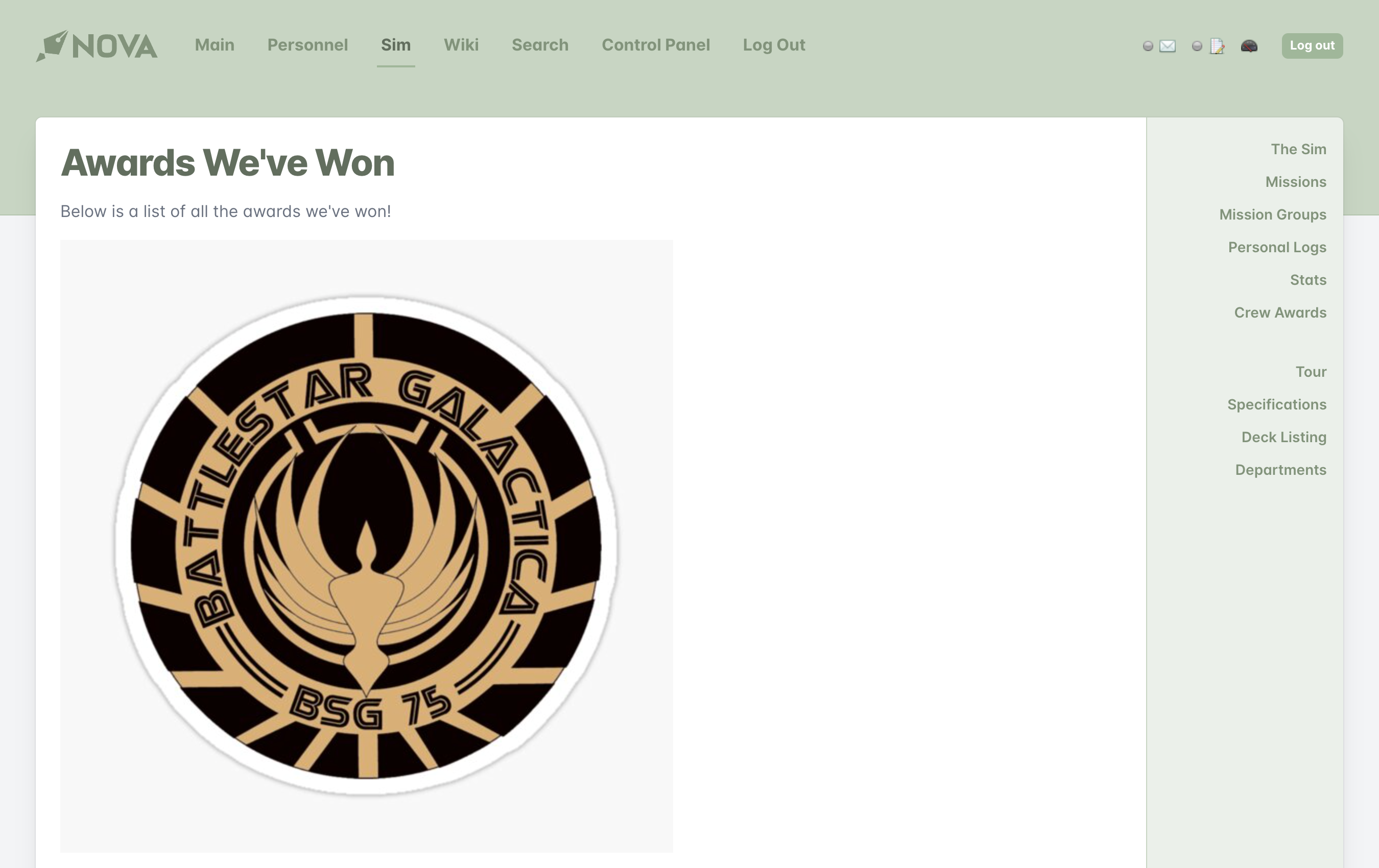 For our view file, things are pretty straightforward. We're using one of CodeIgniter's built-in functions: `base_url` to get the base URL of our site. (If we don't use the base URL, CodeIgniter will try to append `index.php` to our image path and it won't be able to find the image.)
With this foundation, you can make whatever changes you want to the view file and continue to add awards or style it however you'd like. Because we've done all this work in the `application` directory, we don't have to worry about losing our changes when we make an update either!
## Understanding the controller code
Let's walk through the code we used in the controller to see what's going on.
```php {1} theme={null}
public function allawards()
{
$this->_regions['content'] = Location::view('sim_allawards', $this->skin, 'main', false);
$this->_regions['title'].= "Awards We've Won";
Template::assign($this->_regions);
Template::render();
}
```
A controller action is nothing more than a class method. A class method is a function inside a class. Nova will use the name of the controller action as part of the URL. (This actually is what tells the controller where it needs to go.) In this case, our URL would be `index.php/sim/allawards`. You can name your controller action whatever you want provided it doesn't conflict with another method in that particular controller or that it isn't a reserved PHP word.
```php {3} theme={null}
public function allawards()
{
$this->_regions['content'] = Location::view('sim_allawards', $this->skin, 'main', false);
$this->_regions['title'].= "Awards We've Won";
Template::assign($this->_regions);
Template::render();
}
```
Nova templates are broken up into regions. The guts of a page are part of the `content` region. We're assigning a view file to the content region to be rendered by the browser. It may sound complicated, but it's pretty simple. All you need to know is the second part: the `Location` class.
In order for [seamless substitution](/guides/v2/seamless-substitution) to work, we've created the `Location` class that does all the heavy lifting of figuring out where to pull files from. In this case, we're looking for a view that's named `sim_allawards.php` (the .php part is assumed so you don't have to include it). After that, the `Location` class is simply being told where to look and what section it's a part of.
```php {4} theme={null}
public function allawards()
{
$this->_regions['content'] = Location::view('sim_allawards', $this->skin, 'main', false);
$this->_regions['title'].= "Awards We've Won";
Template::assign($this->_regions);
Template::render();
}
```
Now, we're setting the title of the page (what you see in the browser's title bar). You can set the title to whatever you want, provided it's a string.
```php {6-8} theme={null}
public function allawards()
{
$this->_regions['content'] = Location::view('sim_allawards', $this->skin, 'main', false);
$this->_regions['title'].= "Awards We've Won";
Template::assign($this->_regions);
Template::render();
}
```
These lines are required. First we assign all of the regions into the template and then tells the browser to render everything to your browser window.
For our view file, things are pretty straightforward. We're using one of CodeIgniter's built-in functions: `base_url` to get the base URL of our site. (If we don't use the base URL, CodeIgniter will try to append `index.php` to our image path and it won't be able to find the image.)
With this foundation, you can make whatever changes you want to the view file and continue to add awards or style it however you'd like. Because we've done all this work in the `application` directory, we don't have to worry about losing our changes when we make an update either!
## Understanding the controller code
Let's walk through the code we used in the controller to see what's going on.
```php {1} theme={null}
public function allawards()
{
$this->_regions['content'] = Location::view('sim_allawards', $this->skin, 'main', false);
$this->_regions['title'].= "Awards We've Won";
Template::assign($this->_regions);
Template::render();
}
```
A controller action is nothing more than a class method. A class method is a function inside a class. Nova will use the name of the controller action as part of the URL. (This actually is what tells the controller where it needs to go.) In this case, our URL would be `index.php/sim/allawards`. You can name your controller action whatever you want provided it doesn't conflict with another method in that particular controller or that it isn't a reserved PHP word.
```php {3} theme={null}
public function allawards()
{
$this->_regions['content'] = Location::view('sim_allawards', $this->skin, 'main', false);
$this->_regions['title'].= "Awards We've Won";
Template::assign($this->_regions);
Template::render();
}
```
Nova templates are broken up into regions. The guts of a page are part of the `content` region. We're assigning a view file to the content region to be rendered by the browser. It may sound complicated, but it's pretty simple. All you need to know is the second part: the `Location` class.
In order for [seamless substitution](/guides/v2/seamless-substitution) to work, we've created the `Location` class that does all the heavy lifting of figuring out where to pull files from. In this case, we're looking for a view that's named `sim_allawards.php` (the .php part is assumed so you don't have to include it). After that, the `Location` class is simply being told where to look and what section it's a part of.
```php {4} theme={null}
public function allawards()
{
$this->_regions['content'] = Location::view('sim_allawards', $this->skin, 'main', false);
$this->_regions['title'].= "Awards We've Won";
Template::assign($this->_regions);
Template::render();
}
```
Now, we're setting the title of the page (what you see in the browser's title bar). You can set the title to whatever you want, provided it's a string.
```php {6-8} theme={null}
public function allawards()
{
$this->_regions['content'] = Location::view('sim_allawards', $this->skin, 'main', false);
$this->_regions['title'].= "Awards We've Won";
Template::assign($this->_regions);
Template::render();
}
```
These lines are required. First we assign all of the regions into the template and then tells the browser to render everything to your browser window.